Retool Alternative: OpenRun vs Retool, Appsmith, Budibase
Retool, Appsmith and Budibase are low-code platforms for building internal tools: admin panels, dashboards, approval flows and CRUD apps over company data. They combine a drag-and-drop editor with hosting, authentication and access control. OpenRun is a code-first alternative: internal tools are regular code, written with any AI coding tool, kept in Git and deployed by a self-hosted platform that adds SSO, RBAC and audit logs to every app.
Summary: Choose OpenRun when developers (with AI assistance optionally) build the internal tools, and you want apps as portable code in Git, no per-seat pricing, and SSO, RBAC and audit logs without an enterprise tier. Consider Retool, Appsmith or Budibase when non-developers assemble the apps in a visual editor, when you need a large library of prebuilt components and SaaS connectors, or when you want a vendor-hosted cloud service.
AI Changed the Math for Internal Tools
Low-code builders became popular because hand-writing an internal tool used to be slow. A table with filters, a form, a few buttons wired to database queries: assembling that in a visual editor took an hour, while writing it by hand took days. That gap is mostly gone. AI coding tools like Claude Code, Cursor, Codex and GitHub Copilot generate a complete app from a short prompt, in the language and framework your team prefers: Python with Streamlit, Gradio, FastAPI or NiceGUI, Go, Node.js or anything else that runs in a container. For example:
Build a Streamlit app that lists refund requests from the refunds table in the
Postgres database at $POSTGRES_URL. Add filters for status and date, and an
Approve button that sets status to 'approved' and records the approver.
The result is ordinary source code in a widely used framework, which AI models have seen in very large volumes. Deploying it on OpenRun is a few lines in a declarative config file in Git. Here the refunds table already lives in the schema of /tools/orders-db, an existing base binding used by the app that owns the orders data. A derived binding gives the refund tool its own database role, limited to that one table:
# Create a derived binding with access to the refunds table
binding("/tools/refunds-access", "/tools/orders-db", grants=["full:refunds"])

# Create app with the derived binding access to the database
app("/support/refunds", "github.com/myorg/refund-tool",
    spec="python-streamlit", bindings=["/tools/refunds-access"])
OpenRun builds the container (no Dockerfile needed for frameworks with an app spec), creates a separate least-privilege role through a derived service binding and injects its connection URL as POSTGRES_URL, and puts the app behind the server’s SSO and RBAC rules (automatic for apps under /suppport/**). The parts that low-code platforms charged for, hosting, login and access control, come from the platform. The part they existed to speed up, building the UI, is now fast with AI. You are not limited to features which the low-code platform supports. For the general case, see code-first internal tools vs low-code.
Maintenance Is Where Code-First Tools Win
Generating the first version is the easy part. Internal tools live for years, and most of the cost is in changing them: new columns, new filters, a changed approval rule, a framework upgrade, a security fix.
When the app is code in Git, AI tools help with all of that, not just the first draft:
- Changes are pull requests. An AI tool edits the code, the diff is readable, and a teammate (or another AI reviewer) reviews it before OpenRun deploys it. Staged deployment lets you verify the change on the staging version before promoting it.
- Tests and refactoring work. AI tools can write tests for the app’s logic, refactor shared code into a library used by several tools and run linters and type checkers, the same as for any other codebase.
- Upgrades are mechanical. Bumping a framework version or replacing a deprecated API is the kind of repetitive change AI tools handle well across many repos.
- No lock-in to a language, tool or model. Apps are built in whatever language and framework your team prefers, and any editor, AI assistant and model works, now and as tools change. Nothing about the app depends on a vendor’s editor.
Low-code platforms do support Git, but what goes into Git is serialized editor state. Retool Source Control stores apps as Toolscript, a JSX-like format specific to Retool, where component order follows the position on the canvas. Appsmith stores widgets as sets of JSON files, with queries and metadata in per-page directories. Budibase apps live in its own database, with workspace backups rather than a Git workflow. These formats exist so the vendor’s editor can save and restore apps. They are not formats that general-purpose AI coding tools know well, and the vendor editor remains the primary way to change the app.
Their AI Builders vs Any AI Tool
The low-code platforms have added AI features of their own. Retool’s Assist generates and edits apps from prompts inside the Retool editor. Budibase can generate tables and JavaScript from prompts, has AI automation steps and offers agents (in beta). Appsmith offers AI queries and Appsmith Agents.
These are useful, but the output is still an app inside that platform: it runs only on the vendor’s runtime, is edited mainly through the vendor’s editor, and AI usage is metered by the vendor’s plan (Retool and Budibase cloud plans include a fixed allowance of AI credits). With OpenRun, the AI tool is your choice and the output is portable code. You use your own model provider and API keys, and the same AI tools your developers already use for product code work for internal tools.
OpenRun also includes an AI App Builder in its management console: a coding agent runs in a container, generates the app from a conversation, shows a live preview and publishes the result to a path on the server or commits it to a Git repo. It is a convenience for quick tools, not a requirement; the generated app is ordinary code like any other.
Feature Comparison: OpenRun, Retool, Appsmith and Budibase
| Capability | OpenRun | Retool | Appsmith | Budibase |
|---|---|---|---|---|
| How apps are built | Code in your preferred language and framework (Python, Go, Node.js, any Dockerfile), plus actions | Visual editor with JavaScript and SQL | Visual editor with JavaScript and queries | Visual editor, auto-generated CRUD screens, JavaScript |
| App format | Standard source code | Toolscript (.rsx) when Source Control is enabled | JSON and JS files | Stored in Budibase’s database |
| AI app generation | Any AI coding tool, plus the built-in AI App Builder | Assist, in the Retool editor | AI queries, Appsmith Agents | AI table and JavaScript generation, agents (beta) |
| App creation and config in Git | Yes, declarative GitOps for all apps | Source Control on Enterprise | Git sync (3 repos on Free, unlimited on paid plans) | No; workspace backups and export |
| Self-hosting | Yes, self-hosted only | Enterprise only | Yes, Community and commercial editions | Yes, open source and Enterprise |
| SSO with SAML/OIDC | Yes, for every app, free | Enterprise | Enterprise (Google and GitHub OAuth on lower plans) | SSO in open source; enforced SSO and SCIM on paid plans |
| RBAC | Yes, free | Business and Enterprise | 3 standard roles on Free, custom roles on paid plans | User groups on paid plans |
| Audit logs | Yes, free | Business and Enterprise | Business and Enterprise | Enterprise |
| Pricing model | Free; you pay for your infrastructure | Per user per month (builders and internal users), external users separate | Per user per month; Enterprise priced per block of users | Cloud plans with per-creator and per-end-user add-ons; self-hosted open source |
| Tools for AI agents (MCP) | App actions exposed as MCP tools, plus a management MCP endpoint | AI agents product | Appsmith Agents | Agents (beta) |
| Kubernetes | Yes, same config via Helm chart | Enterprise self-hosted deployments | Yes, Helm chart | Yes, Helm chart |
| License | Apache-2.0 | Proprietary | Apache-2.0 (Community edition) | GPL-3.0 (client libraries MPL) |
Details for the OpenRun column: authentication, RBAC, audit events, app specs, AI App Builder, Remote API and MCP and Kubernetes.
Comparison last verified on October 28, 2026 against the Retool pricing, Appsmith pricing and Budibase pricing pages, the Retool Toolscript and Assist docs, and the Budibase AI docs. Plans and features change often; check the vendor pages for current details.
Where OpenRun Differs
No Per-Seat Pricing
Low-code platforms charge per user, and often separately for builders, internal users and external users. Costs grow with every team that adopts a tool, which pushes organizations to limit who gets access. OpenRun is free and open source. The cost is the infrastructure it runs on, and scale-to-zero keeps that small: idle tools use no CPU or memory, so a single server can host a large catalog of internal tools for the whole company.
SSO, RBAC and Audit Logs Without an Enterprise Tier
SAML/OIDC SSO, fine-grained permissions and audit logs are the features security teams require, and they are typically in the higher-priced plans of low-code platforms. In OpenRun they are part of the platform for every app: OAuth, OIDC, SAML or client certificate login configured once at the server level, RBAC grants that map users and IdP groups to apps, and audit events for app operations. Apps receive the user’s identity and custom permissions through HTTP headers, so app logic such as “only finance can approve refunds” stays simple.
Forms for Scripts, Usable by People and AI Agents
Many internal tools are a form in front of a script: look up a customer, rerun a job, issue a credit. OpenRun actions turn a function and its parameter list into a web form with no UI code.
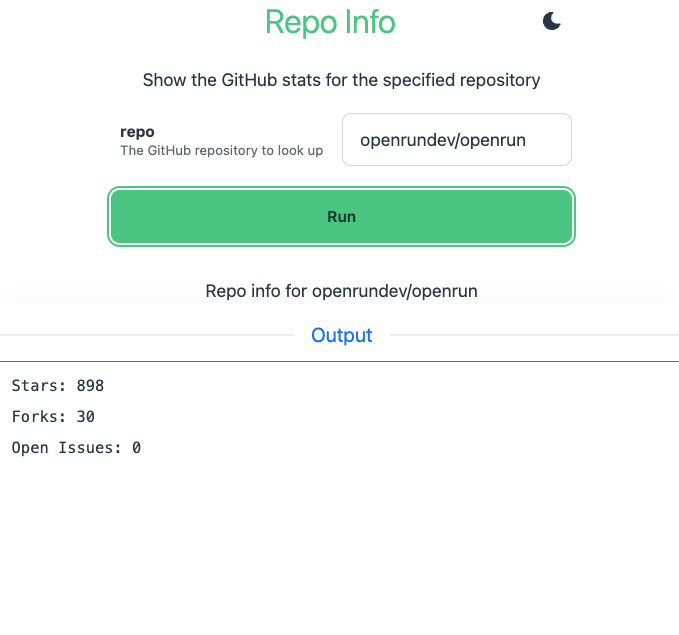
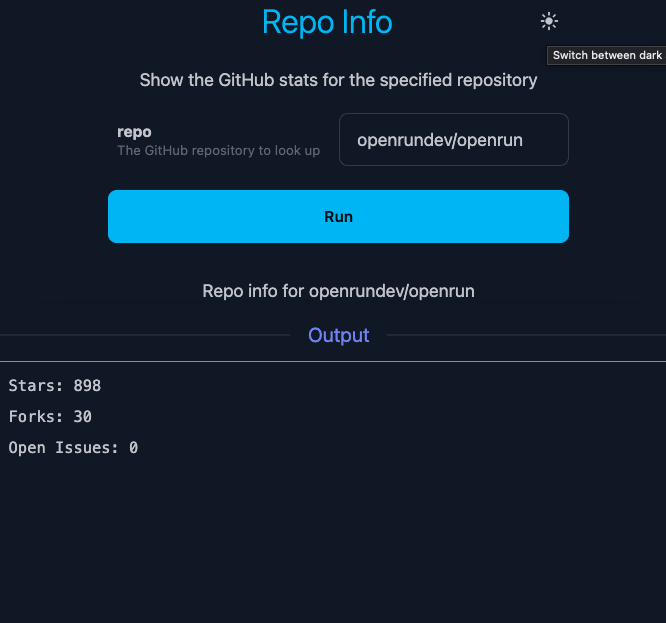 The same action is also a CLI command and an MCP tool that AI agents can call, with the same RBAC checks and audit trail on every path. For actions marked destructive, MCP clients that support it ask the user to confirm before the action runs. The Jenkins and Rundeck alternative use case shows this in detail.
Hypermedia Apps Without a Frontend Build
Code-first internal tools do not need a React single page app with its own npm dependency tree and build. Most internal tools are tables and forms, and a hypermedia approach is simpler and more secure for them: the server renders HTML, HTMX handles partial page updates, data and authorization checks stay on the server, and there are few dependencies to keep patched.
OpenRun supports this in two ways. Containerized apps can use any server-rendered framework, such as FastHTML (which has an app spec), Flask, Django or Go templates. OpenRun’s own hypermedia apps are written in Starlark with Go HTML templates and HTMX, and run without a container or an npm build. They are sandboxed: calls to HTTP APIs, commands and other plugins need permissions which are approved when the app is installed.
Code and Data Stay on Your Infrastructure
App code lives in your Git repos, apps run on your servers or Kubernetes cluster, and app data stays in databases you operate, connected through service bindings with isolated credentials per app, or in SQLite with Litestream replication to storage you control. There is no vendor cloud in the request path and no proprietary runtime the apps depend on.
Where the Low-Code Tools Are Better
OpenRun assumes the apps are built as code, by developers or by people working with an AI coding tool. If the people building internal tools do not work with code at all, a visual builder is the better fit. Retool, Appsmith and Budibase let operations and business teams assemble apps by dragging components onto a canvas and connecting them to data, with no repo, no framework and no deploy step.
The low-code platforms also include things OpenRun does not:
- Large libraries of polished UI components (tables, charts, forms, editors) that work together out of the box
- Prebuilt connectors for many databases and SaaS APIs, with credentials managed in the platform
- Vendor-hosted cloud plans, for teams that do not want to run any infrastructure; OpenRun is self-hosted only
- Workflow and automation builders, mobile app builders (Retool Mobile) and external customer portals
- Budibase’s built-in database and auto-generated CRUD screens, for apps that start without any existing data source
With OpenRun, those capabilities come from the framework you choose and the code you (or your AI tool) write.
Tool by Tool
OpenRun vs Retool
Retool is the most complete commercial internal tools platform, with a rich component library, Workflows, Retool Mobile, AI agents and the Assist app generator. It is also priced per user, with SSO, Source Control and self-hosting on the Enterprise plan, and apps are defined in Retool’s own format and run on Retool’s runtime. OpenRun replaces the editor with code that any AI tool can generate and maintain, and includes SSO, RBAC, audit logs and GitOps for free on your own infrastructure. Retool is the better choice when non-developers build most of the tools and budget for per-seat pricing is not a constraint.
OpenRun vs Appsmith
Appsmith is an open-source (Apache-2.0) visual builder that can be self-hosted, with Git sync that stores apps as JSON and JS files. SAML/OIDC SSO, custom roles and audit logs are in the paid plans. OpenRun is code-first rather than editor-first: apps are standard framework code in Git, and SSO, RBAC and audit logs are included. Appsmith is a good fit for teams that want an open-source visual builder they can self-host.
OpenRun vs Budibase
Budibase is an open-source (GPL-3.0) low-code platform that can generate CRUD apps from a data source, includes its own database and automation builder, and has AI table and JavaScript generation. Apps are stored in Budibase’s database rather than as files in Git. OpenRun manages apps as code with declarative GitOps, and provides SSO, RBAC and audit logs without a paid tier. Budibase is a good fit for form and CRUD-heavy apps built by non-developers, especially when the app needs a database and none exists yet.
Moving from a Low-Code Tool to OpenRun
Migration can be done one tool at a time, starting with the apps that are most expensive in seats or most painful to maintain:
- Pick the language and framework your team prefers, such as Streamlit for dashboards and data tools or FastAPI with HTML templates for form-heavy apps. Frameworks with an app spec deploy without a Dockerfile; anything else needs one.
- Give your AI coding tool the existing app’s screenshots, queries and business rules, and have it generate the equivalent app. Review and commit it to a Git repo.
- Connect the app to its data. If the tables are in a schema owned by an OpenRun base binding, declare a derived binding with table grants so the app gets its own least-privilege role. A new base binding creates a new, empty schema, so use one only for new data or after migrating the tables into it. For a database OpenRun does not manage, pass a suitably scoped connection URL to the app through secrets.
- Declare the app in your
apps.starconfig, set up RBAC grants for the teams that use it, and let the sync deploy it. - Verify on the staging version, promote, and retire the low-code version.
Frequently Asked Questions
Is OpenRun a Retool alternative?
Yes, for teams where developers build the internal tools, with or without AI assistance. OpenRun provides the platform parts of Retool (hosting, SSO, RBAC, audit logs, Git-based change management) for apps written as code. It is not a drag-and-drop builder, so it is not a direct replacement for tools built by non-developers in Retool’s editor.
Is OpenRun an open-source Retool alternative like Appsmith and Budibase?
OpenRun is open source (Apache-2.0) and self-hosted, like the community editions of Appsmith and Budibase. The difference is the building model: Appsmith and Budibase are visual builders, while OpenRun deploys apps written as code. OpenRun also includes SAML/OIDC SSO, RBAC and audit logs in the open-source version.
Which AI tools work with OpenRun?
Any of them. OpenRun apps are regular code in Git, so Claude Code, Cursor, Codex, GitHub Copilot or any other tool can create and change them. AI clients can also manage OpenRun itself through its MCP endpoint, with RBAC enforced, and the console’s AI App Builder can generate and publish apps from a conversation.
Do apps need a Dockerfile?
Not for frameworks with an app spec, including Streamlit, Gradio, FastAPI, FastHTML, NiceGUI, Shiny and Flask. Apps in any other language or framework add a Dockerfile to the repo, and OpenRun builds and runs it.
Is OpenRun open source?
Yes, OpenRun is Apache-2.0 licensed. Source is at github.com/openrundev/openrun.