Managing Apps Quick Start
Apps are managed in three ways. The declaration file is the primary one: it records what is deployed and can be synced from Git. The CLI and the console do the same operations imperatively, and all three can be mixed on one server.
The Declaration File
A declaration file is a Starlark file with app and binding entries. This example deploys a Streamlit app and a containerized API that shares a PostgreSQL schema through a service binding:
# A base binding creates a schema and role on the postgres service
binding("/todo-data/base", "postgres")
# A derived binding shares that schema with a read-only role
binding("/todo-data/reader", "/todo-data/base", grants=["read:*"])

app("/todo", "github.com/myorg/todo", spec="container",
    auth="oidc_okta", bindings=["/todo-data/base"],
    params={"PORT": "8080"}, container_opts={"memory": "512m"})

app("/todo/reports", "github.com/myorg/todo-reports",
    git_branch="main", spec="python-streamlit",
    auth="oidc_okta", bindings=["/todo-data/reader"])
The properties used most are:
| Property | Purpose |
|---|---|
| path, source | Install address as [domain:]path and the Git URL or server directory for the code |
spec | Container config for sources without an app.star, see app specs |
auth | Auth type, see the configuration quick start |
params | Values passed to the app, as environment variables for containers |
bindings | Service bindings whose credentials are injected into the app |
git_branch, git_commit, git_auth | Which revision to deploy and which credential to fetch it with |
container_opts, container_vols, sidecars | CPU and memory limits, volumes and sidecar containers |
dev | Create the app in dev mode with live reload from a local checkout |
The full list, including jobs, deploy hooks and MCP settings, is in app configuration. Starlark means loops, helper functions and shared variables work in the file; openrun pretty-print shows the evaluated result.
Apply, Stage, Promote


Every production app has a staging app at the same path on the stage subdomain, for example stage.example.com/todo for example.com/todo. Apply writes to staging. Promotion copies staging to production, so production only ever runs a version that was already running on staging.
Check what would change
openrun apply --dry-run apps.aceApply to staging
openrun apply --approve apps.aceNew apps get a staging and a production app at version 1. Existing apps get their staged version bumped. openrun app list --internal shows both, with a * next to PROD when staged changes are waiting.
Verify on staging
Open the app on the stage subdomain. For containerized apps, --verify on the apply starts the new container and waits for it to become healthy before the change is recorded, and rolls back if it does not.
Promote
openrun app promote allor openrun app promote "/todo*" for a subset. openrun apply --promote applies and promotes in one step for the apps where that is acceptable. Promotion moves all staged changes of an app, not only the most recent one.
Apply does a three way merge: the previous declaration, the new declaration and the live config are compared, and only properties that changed in the file are written. A param added from the CLI or console survives the next apply. --clobber resets the app to exactly what the file says. The pair openrun delete apps.ace removes everything the file declares.
GitOps Sync
Once the file is in a repository, a scheduled sync applies it on an interval:
openrun sync schedule --approve --promote --verify github.com/myorg/platform/apps.ace
openrun sync list
openrun sync run <sync_id>      # run it now
Each run fetches the file, applies changes, reloads apps whose source repos have new commits, verifies container apps and promotes. The default interval is 15 minutes, --minutes changes it. --prune deletes apps and bindings the sync created that are no longer declared, which makes the file the source of truth for those resources. Private repos use a [git_auth.<name>] entry, see private repository access.
To react to pushes instead of polling, webhooks trigger reloads and promotions from CI or GitHub.
The Same Operations From the CLI
Each declaration property has a CLI counterpart. Changes made this way are staged like declarative ones and promoted the same way.
| Task | Command |
|---|---|
| Create an app | openrun app create --approve --spec container github.com/myorg/todo /todo |
| Pick up new source | openrun app reload /todo |
| Promote | openrun app promote /todo |
| Change auth | openrun app update auth oidc_okta /todo |
| Change a param | openrun param update PORT 9000 /todo |
| Attach bindings | openrun app update bindings /todo-data/base /todo |
| List versions and roll back | openrun version list /todo, openrun version revert /todo |
| Delete | openrun app delete /todo |
Most commands accept a glob such as "example.com:**" or all to act on many apps. Anything created from the CLI can be written out as a declaration file with openrun export --output apps.ace and managed declaratively from then on. See app overview and the reference.
The Same Operations From the Console
The management console creates apps from a form with a validate step that lists the permissions the app will request, shows staging and production versions per app, and manages syncs, bindings, containers and the audit log.
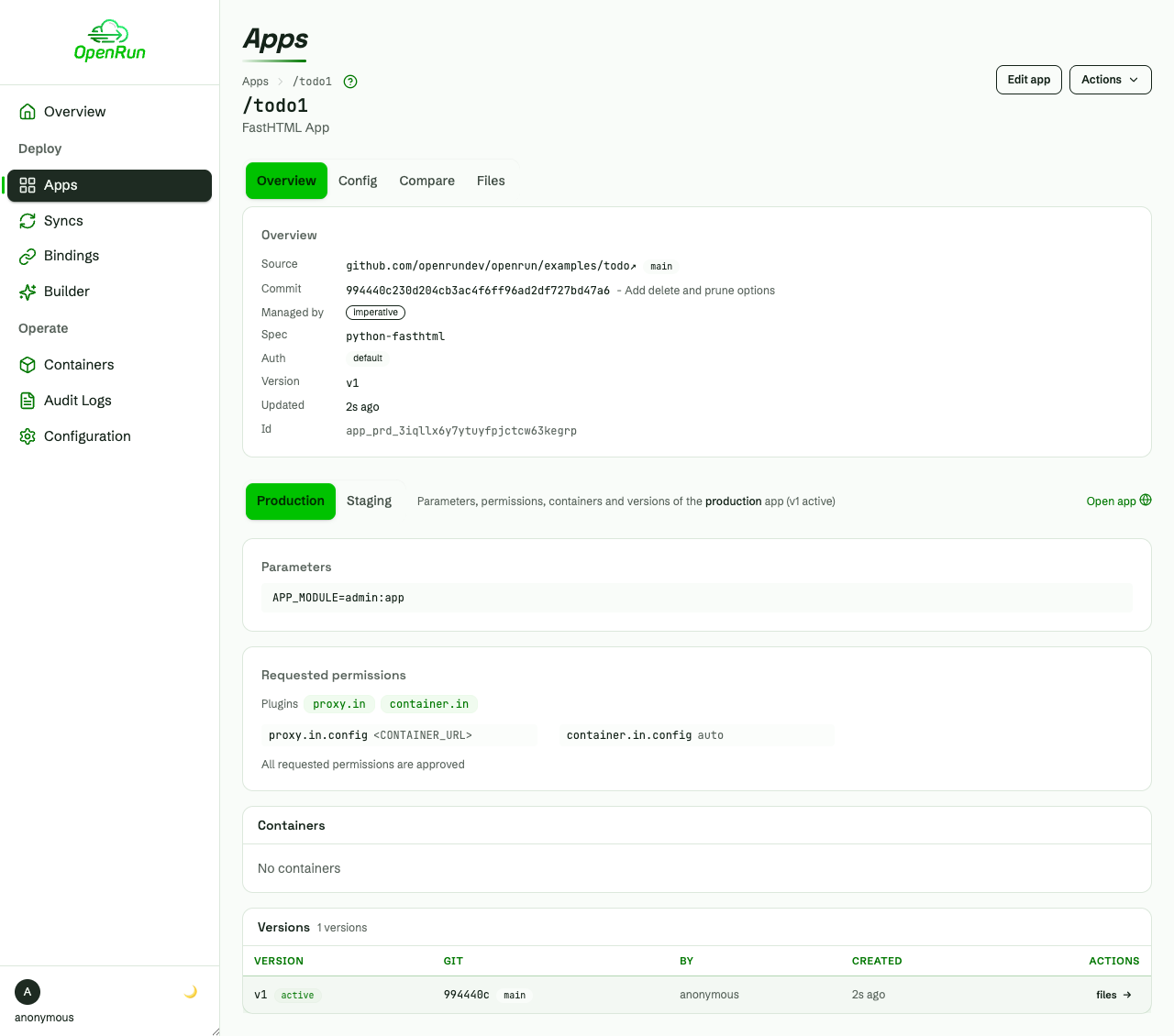
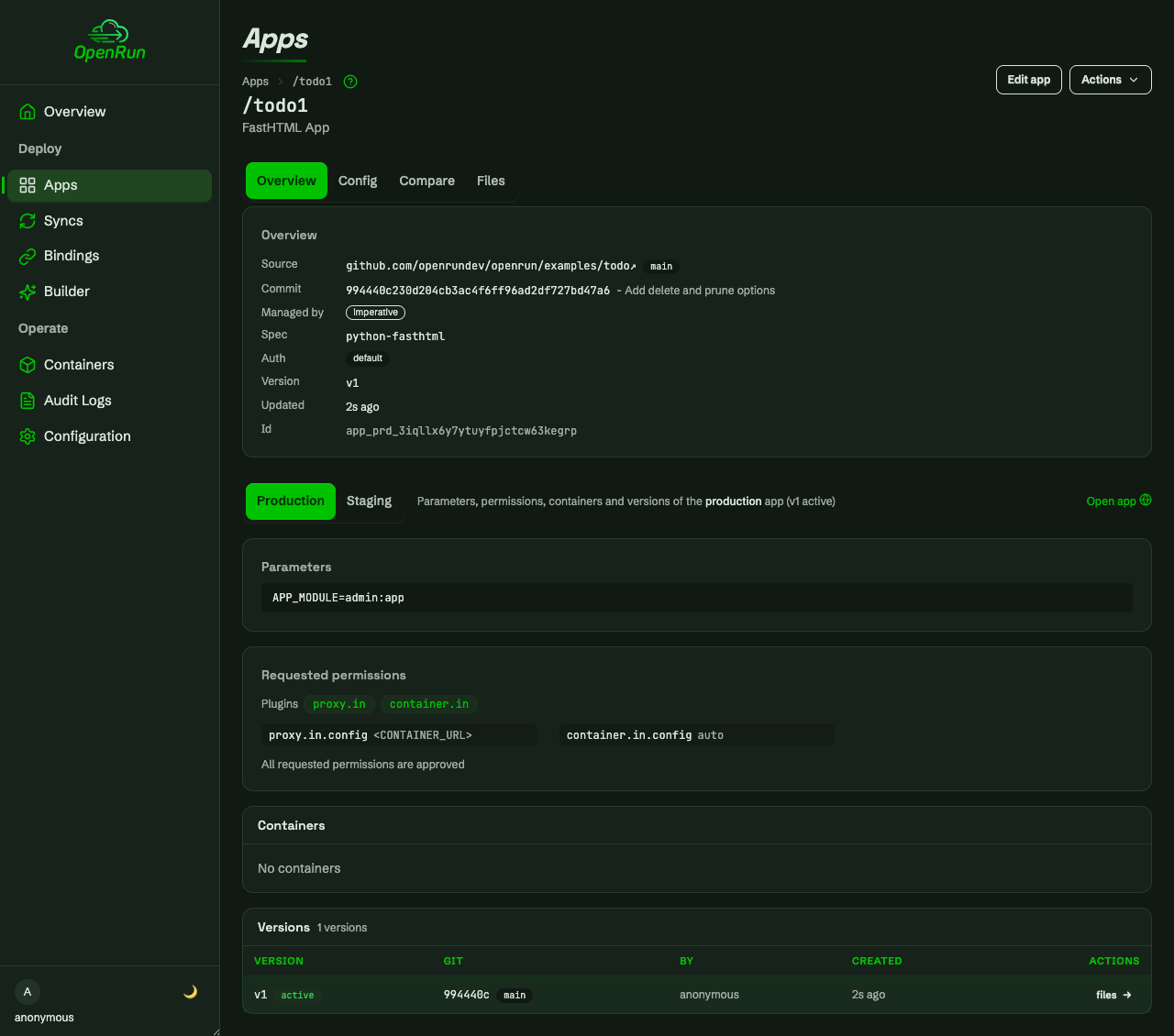
Install it with the command in the quick start. Console changes go through the same staging and promotion, and are kept on the next apply unless the file changes the same property.
Dev Mode
Add --dev to apply or app create to create apps in dev mode. Git sources are checked out under $OPENRUN_HOME/app_src, source changes are picked up without a reload, and there is no staging app. Dev mode is for building apps on a workstation; production servers use the staged flow. See development apps.
Containerized Applications
Container apps are declared like any other app. The spec picks a framework config, for example python-streamlit, python-fasthtml, go or js-hono, and OpenRun copies the Dockerfile and startup config from the spec into the app. A source repo with its own Dockerfile uses the container spec, with a port param when the Dockerfile has no EXPOSE:
app("/api", "github.com/myorg/api", spec="container", params={"port": "8000"})The image is built and the container started on the first request, idle containers are stopped and restarted on demand, and params are passed as environment variables. On Kubernetes each app becomes a deployment. See containerized apps, app specs and Kubernetes.
Service Bindings
A service is a database the platform team configures once, with backups and access control in place. A binding creates an isolated schema and role, database and user, or key prefix on that service for one app, and the credentials reach the app as environment variables. Derived bindings share a base binding’s schema with narrower grants, such as read-only access for a reporting app. Bindings are declared in the same file as the apps and are staged and promoted with them. See service bindings.